Nuclear Frog
A downloadable game for Windows, macOS, and Linux
Nuclear Frog
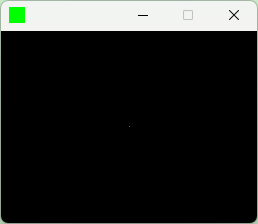
Nuclear Frog is a "subpixel" game. The entire resolution of Nuclear Frog is 1x1 pixel, so how could anyone possibly play this?
An entire ecosystem in a single pixel!

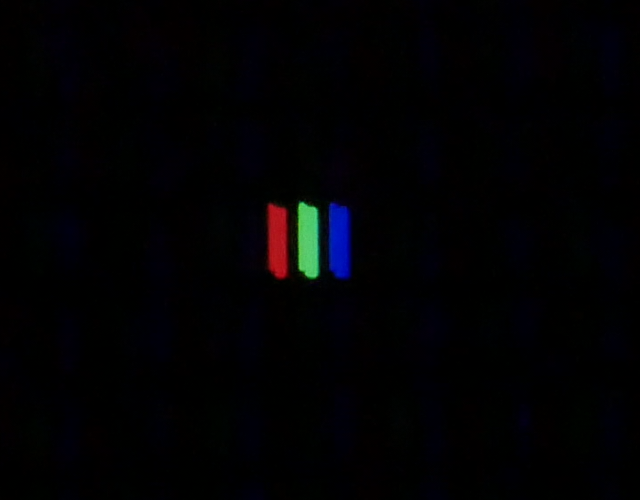
Magnification! If you zoom into your screen with a camera, especially one equipped with a macro lens, then you will be able to see not just the pixels on your screen, but the Red, Green and Blue subpixels that make up each pixel! These subpixels are where the entire world of Nuclear Frog takes place!
If you send a picture of your ideal subpixel-setup to steelfingerstudios@gmail.com, we'll feature it on the official Steelfinger Studios website!
How to play
You play as the titular Nuclear Frog (the green subpixel). Your goal is to irradiate yourself to your full, radioactive capacity! By holding down the Frog button (F key) you can concentrate your energy on becoming more and more radioactive. But watch out! There's a hungry Red (subpixel) Fox who would love nothing more than a glowing green frog to snack on. The Red Fox will try to catch you with with three different patterns that you have to learn: Hunting, Stalking and Lunging!
Hunting
The Red Fox will take several steps closer before pouncing !

Stalking
The Red Fox will wait for you to continue irradiating, and will wait if you hide in the pond! Timing his pounce is key here!

Lunging
When the Red Fox is at his most desperate, he will lunge out in a full blown strike! Stay on your toes as you become more and more radioactive.

What's a Nuclear Frog to do?
Thankfully, you can avoid the hungry Red Fox by diving into the Blue (subpixel) Pond! When you jump in, you can keep track of your radioactivity through the brightness of the water, but don't stay too long, or else you'll lose your radioactivity at a rapid rate!

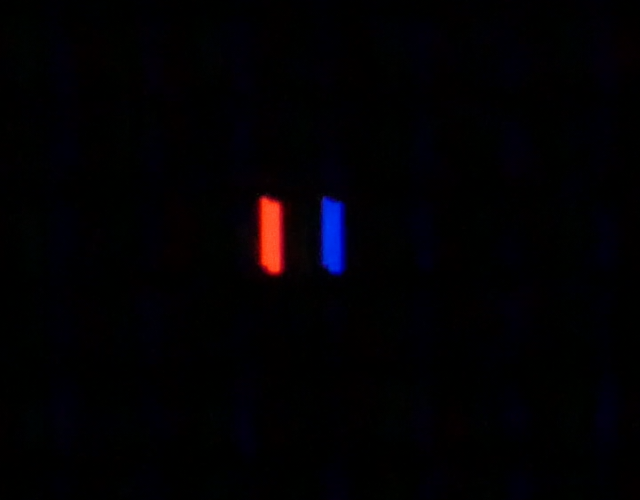
If you get eaten by the Red Fox, or your radioactivity reaches 0, then it's game over. If you reach maximum radioactivity, then you win! When the game is over, the Nuclear Frog and Blue Pond will disappear for a moment before your score will be displayed in binary by flashing the green subpixel for 1 and the blue sub pixel for 0. The maximum possible score is 255, a single byte (8 bits) so make sure to write down your 8-bit score on paper if you can't convert binary to decimal in your head! The SFS-HD Multi-base Calculator may come in handy!
An example of a winning score of 199 (%1100011):

An example of a losing score of 148 (%10010100):

In plain terms
Nuclear Frog takes advantage of how modern fixed pixel displays work by altering the brightness of each subpixel for its game play. The goal is to get the Green Subpixel to its maximum brightness by holding the F key. If the Red Subpixel reaches its maximum brightness while you are holding F, then you lose. When you let go of F, the brightness from the green subpixel transfers to the blue subpixel. However, the brightness will decrease at a rapid rate if you don't hold the F key, and if it reaches 0, then you lose.
https://github.com/Bofner/Nuclear-Frog
NOTE
Nuclear Frog was designed to be played on fixed-pixel sRGB displays that have the standard R-G-B orientation and no color correction. Nuclear Frog will likely not be displayed properly on non-fixed pixel displays like CRTs or display technologies that use a non-standard RGB layout. If your operating system scales your screen by a non-integer value (i.e. 125%) Nuclear Frog will most likely also not be displayed properly. Subpixel color bleed may also present an issue on operating systems that adjust for true color. Make sure your screen is set to sRGB mode. If you want to enjoy Nuclear Frog to its fullest, check your OS settings to make sure your display is rendering its pixels at a 1:1 ratio in pure sRGB.
Download
Click download now to get access to the following files:
Leave a comment
Log in with itch.io to leave a comment.